Open-source desktop video editor
Edit video on your own computer.
CutVii is a free, local-first video editor. No account, no uploads, works offline. Import, cut on a timeline, add subtitles and colour, export MP4.
See the Download page for the latest version.
 (opens in a new tab)For clippers: Auto clips
- Auto clips
- Subtitles
- Karaoke
- Voice-over
- All-in-one
- Flexible AI
Auto clips: one long video in, short clips out
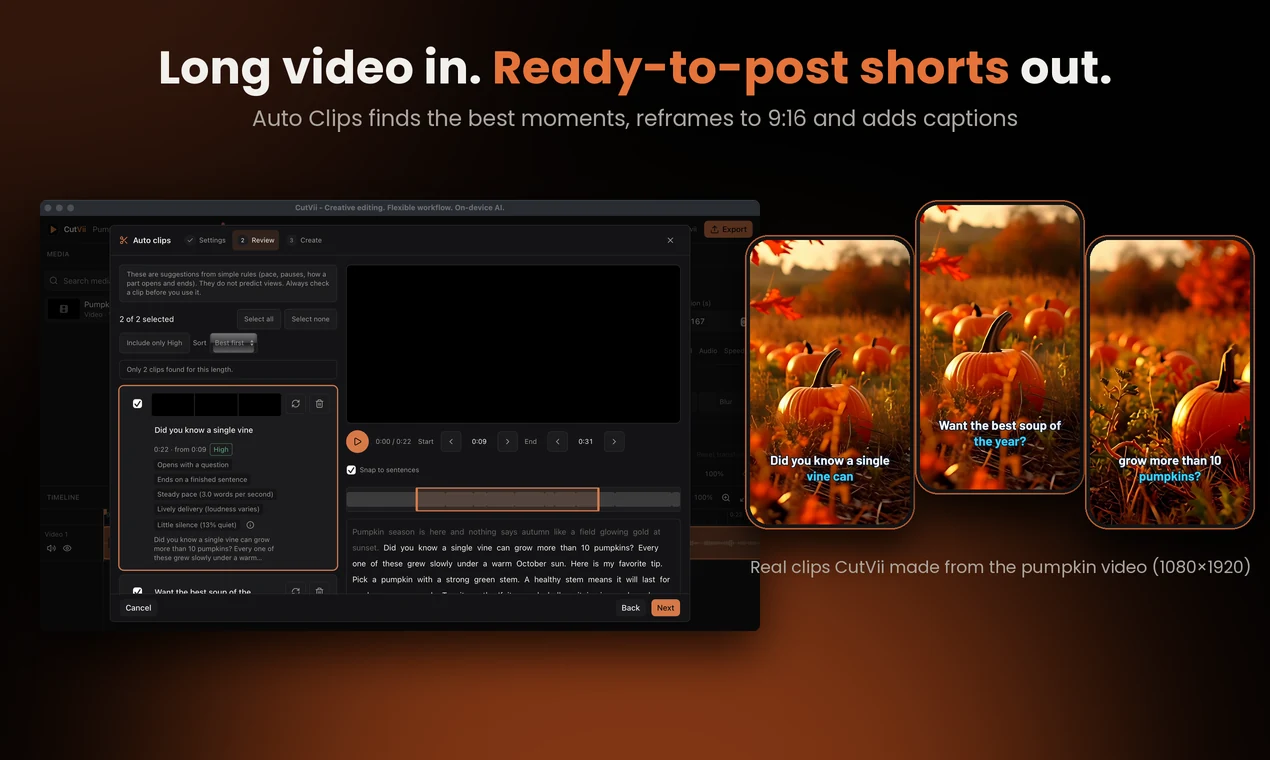
Made for clippers. CutVii reads the transcript of a podcast, stream or talk, suggests the moments worth cutting, and turns them into vertical clips with subtitles. On your own computer, without uploading anything.
1. Settings
Clip length (15–30 s, 30–60 s, 60–90 s or your own), how many clips, the language, and the shape: Vertical 9:16, Square 1:1 or the project's own.
2. Review
Every suggestion gets a score (High, Medium, Low) and a "Why this clip" list. Play it, drag the cut handles, read the transcript, rename, delete, or find another one.
3. Create
Save each clip as its own MP4 (1080×1920 for vertical), or add them all to the timeline to keep editing. One Undo removes them all.
- Runs on your computer with an on-device speech model: your videos are never uploaded.
- Subtitles burned in, with position (top, middle, bottom) and size, in ten caption styles made for clips.
- The transcript is kept, so searching the same video again is quick.
- Part of the free editor. No watermark, no account, no credits.
Coming next for clippers: Remove silences inside clips, manual reframing, word-by-word captions and smarter ranking.
What CutVii stands for
Free and open source
The editor is free to use and its code will be public.
Local-first and offline
Your media stays on your computer and is never modified or uploaded.
No account
Open the app and start editing. No sign-up, no tracking.
Original design
Our own look, our own code, our own presets.
On-device AI
Subtitles, clips, voice-over and more, made on your own computer. Models are downloaded only after you agree; nothing is uploaded.
Runs on your computer. Each model is downloaded only after you agree, and your media never leaves your computer.
- Available
Auto subtitles
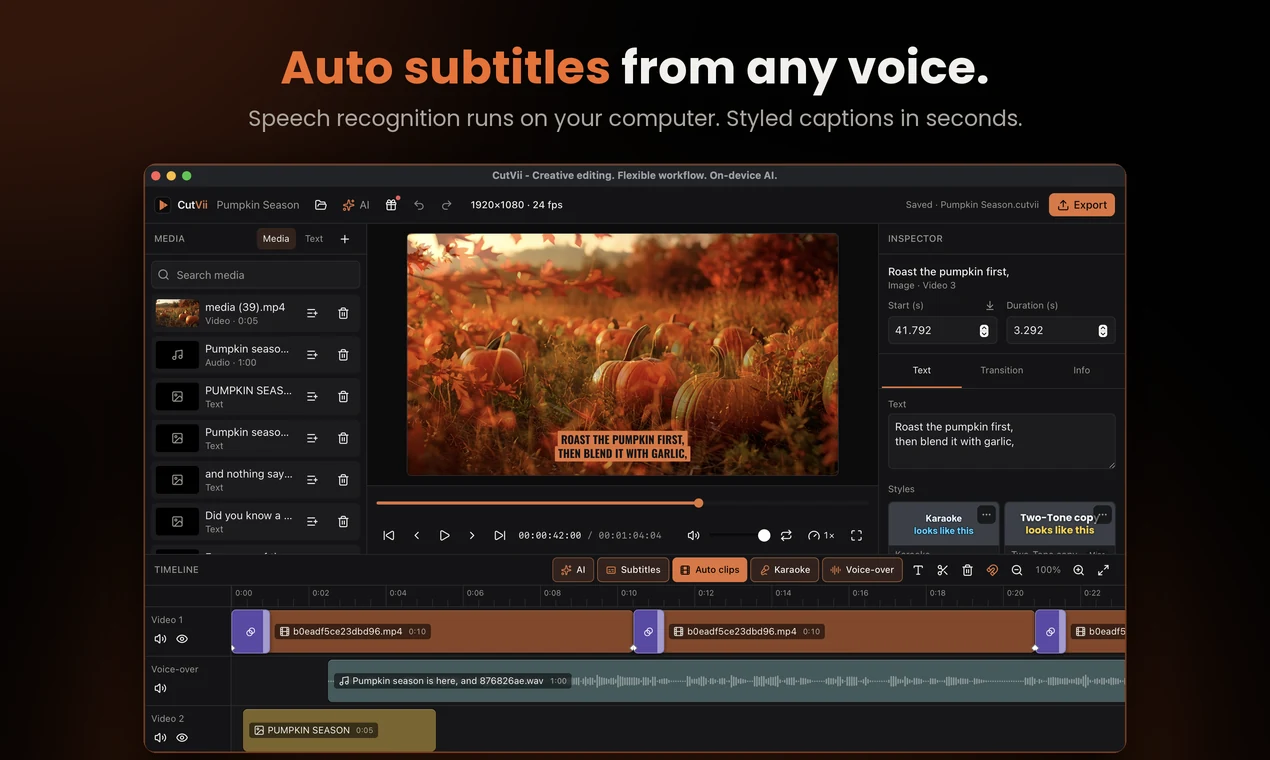
Turn speech into subtitles with Whisper, on your own computer. Pick a model from Tiny to Large, choose the language and a caption style, then export an .srt.
- Available
Subtitles as .srt
Import an .srt file: set the time shift, caption style, position and size first, then the cues are cut into readable captions on a new track. Export a track, or the whole timeline, as .srt.
- Available
Caption length
Captions stay readable: at most 2 lines and a set number of characters per line for 16:9, 1:1 and 9:16, never split inside a word. Too-long captions get a warning and can be re-split in one undo step.
- Available
Auto clips
Finds short clips in a long video from its transcript. Review them with a player and cut handles, then add them to the timeline or export each one.
- Available
Voice-over from text
Typed words become speech on your computer: Indonesian, English and 29 more languages, ten voices, adjustable speed.
- Available
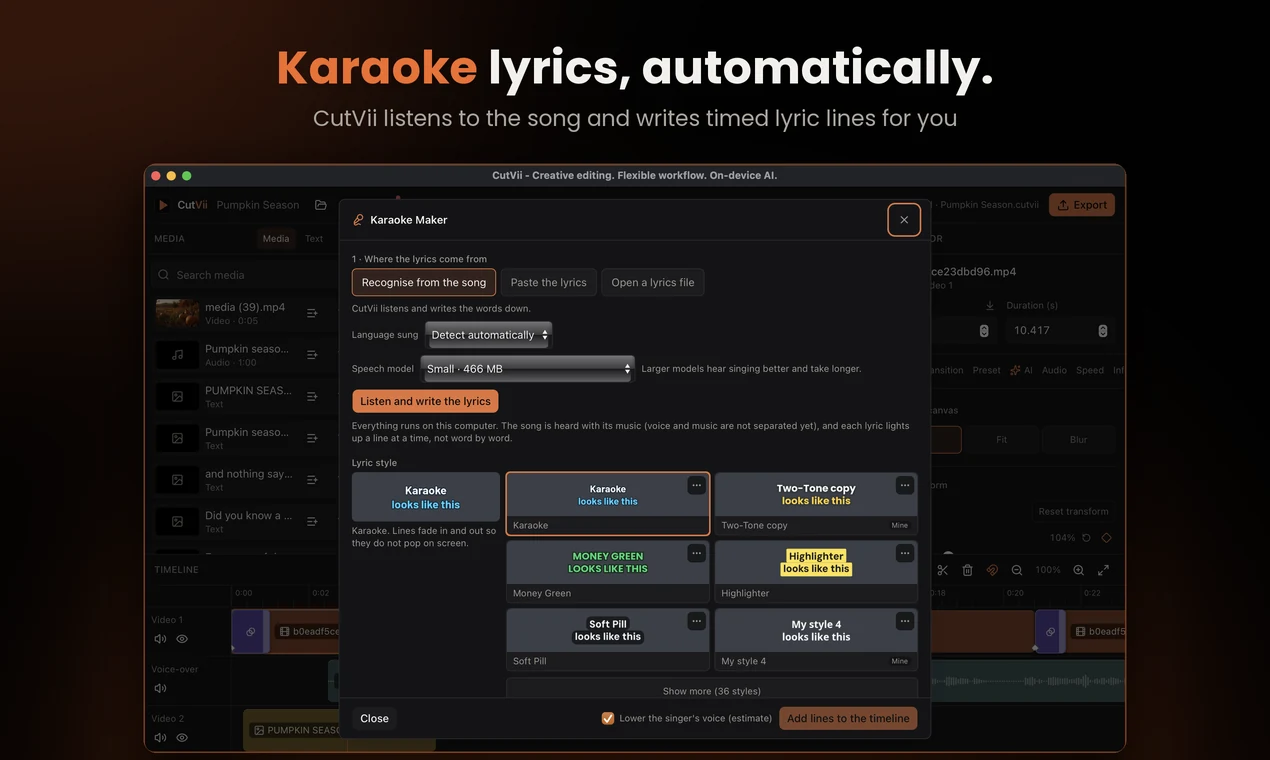
Karaoke maker
Lyrics from recognition, pasted text or an .lrc / .srt file, timed line by line, editable, and added in a karaoke style. Optional: lower the singer's voice.
- Available
AI upscale
2× or 4× sharper pictures and video with Real-ESRGAN models, on your computer. Video takes a few seconds per frame.
- Planned
Remove background
Subject cutouts and background blur for images, then video.
- Planned
Text behind the subject
Place a title behind the person in the picture.
- Planned
Vocal separation
Split a song into voice and music for karaoke.
- Planned
Subtitle translation
Translate generated subtitles into another language.
Transcript: speech to subtitles, on your computer
Pick a speech model, choose the language and a caption style, and CutVii turns what is said into one text clip per line. The model runs on your own computer, so your video is never uploaded.
- Speech models from Tiny to Large, downloaded only after you agree
- One text clip per line in the caption style you choose, added in one undo step
- Export the lines as an .srt file
- The same transcript powers Auto clips and Karaoke
Good to know: Accuracy depends on the model and on how clear the recording is. Read the lines before you export them.
Voice-over: type your words, hear them spoken
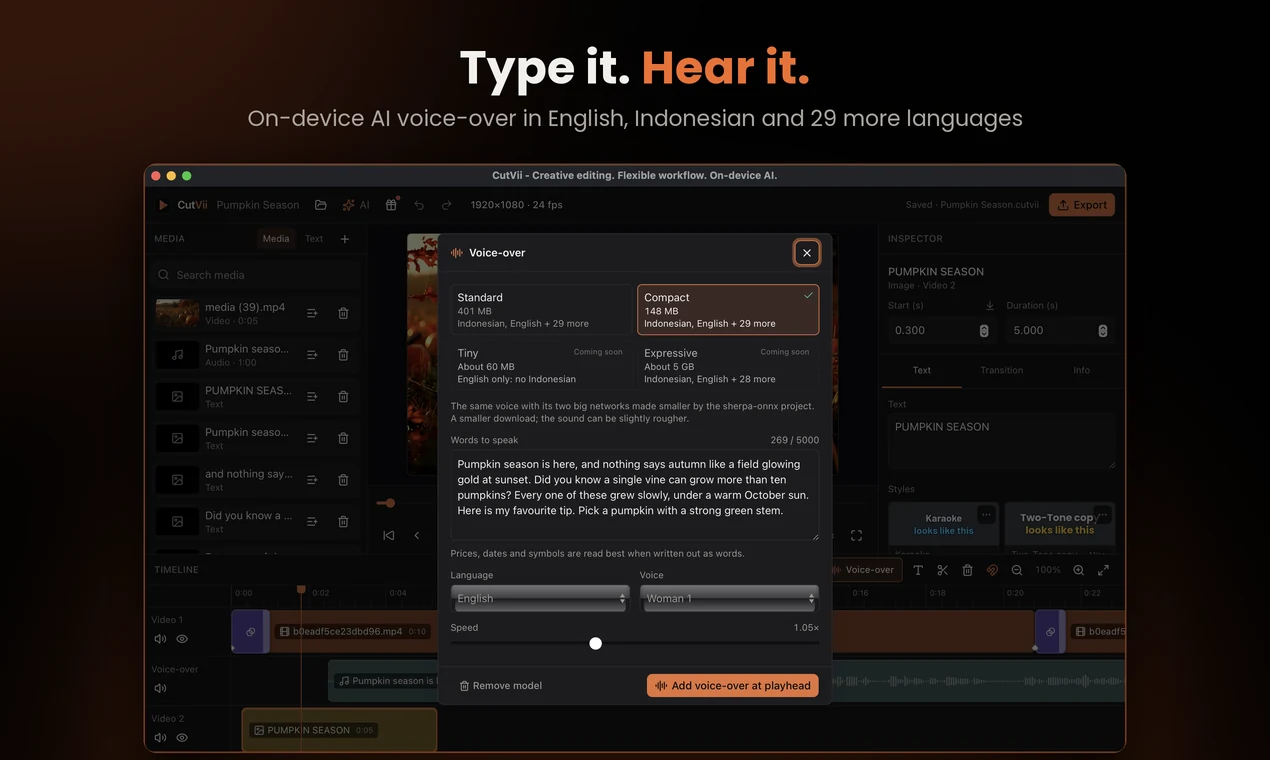
Type a script, pick a language, a voice and a speed, and CutVii speaks it and puts the sound on its own audio track at the playhead. The voice model runs on your computer, so your text never leaves it.
- Indonesian, English and 29 more languages, ten voices, adjustable speed
- Two model sizes: Compact (about 148 MB) or Standard (about 401 MB), each downloaded once and only after you agree
- The same text and settings give the same sound
- Added to the timeline in one undo step
Good to know: Numbers, prices and dates can be read unevenly, so listen before you export. Voice cloning is not included, and the voice model's licence limits some uses, such as imitating a real person without their consent.
IDEN+29
AI upscale: sharper pictures and video
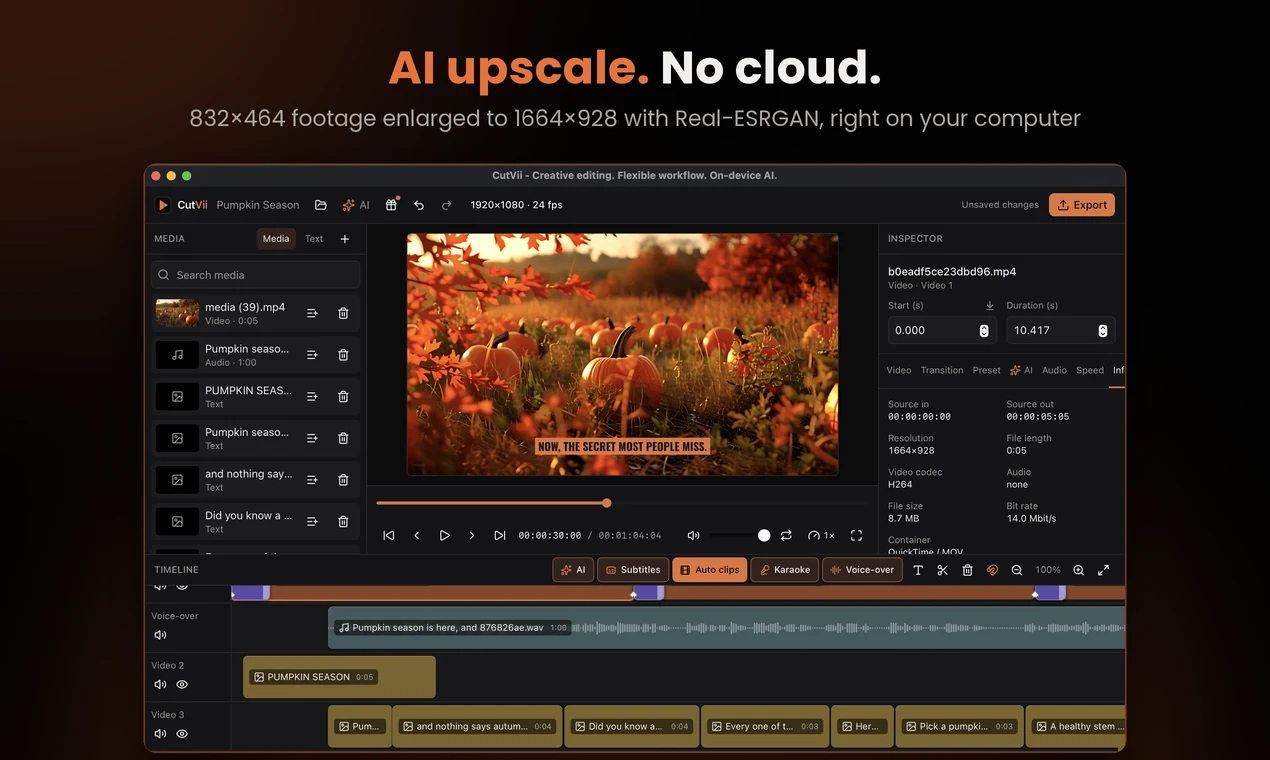
Make a picture or a video clip 2× or 4× larger with a Real-ESRGAN model that runs on your computer. The clip is pointed at the new file and your original stays in the library.
- Pictures and video, with 2× or 4×
- Two small models (about 2.5 and 4.9 MB), downloaded only after you agree
- Video is done frame by frame, up to 1280 px on the longer side
- One undo step; the original stays in the library
Good to know: Video is slow: about 4 seconds per 480p frame on our test Mac (Apple M3), so 10 seconds of footage can take around 20 minutes. Pictures over 2048 px are not supported. The model authors do not state a licence for the weights, and CutVii says so before you download.
Made to be flexible
The details that make CutVii yours: lyrics, fonts, colour looks and export formats.
Karaoke maker
Get lyrics from recognition, from pasted text or from an .lrc / .srt file. Lines are timed, can be nudged and edited, then added in a karaoke style in one undo step.
- Optional: lower the singer's voice (an estimate, stereo recordings)
- Edit, shift or delete any line before adding
- Lyrics highlight line by line
Flexible fonts and styles
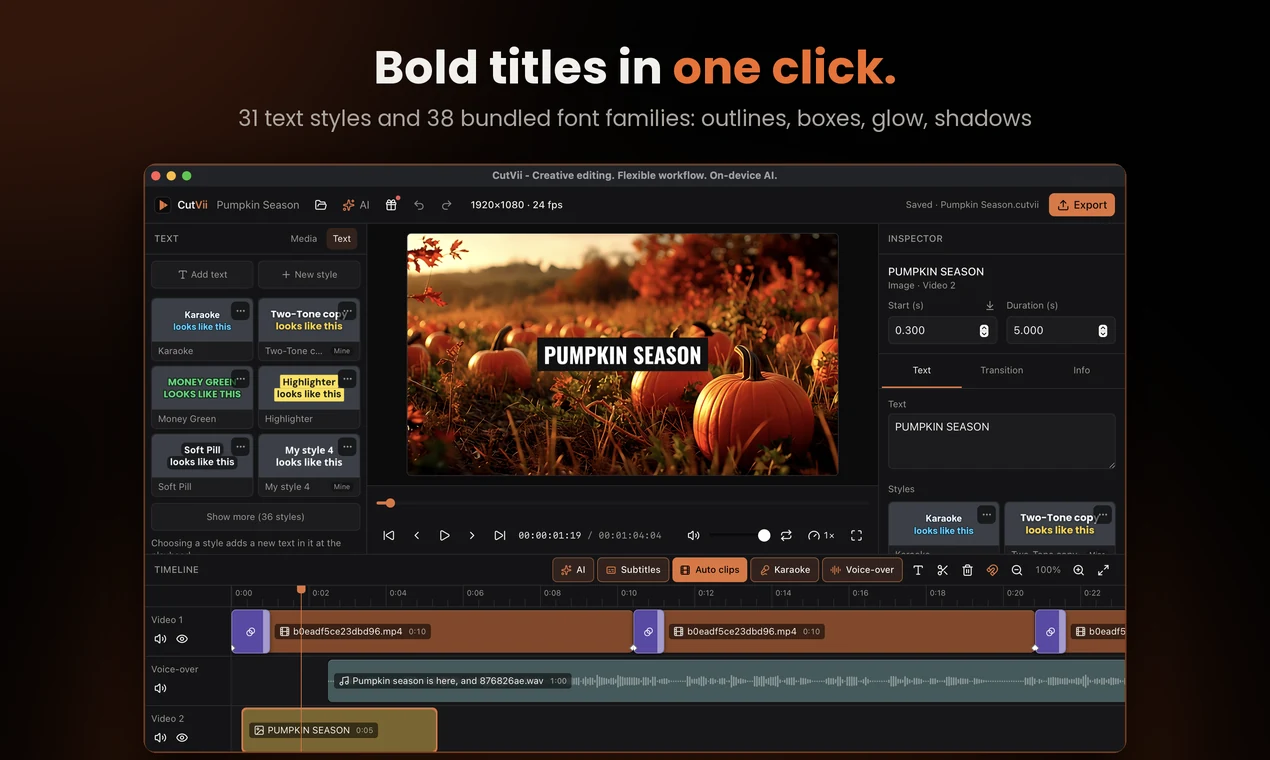
37 open-licence font families come with CutVii, shown each in its own typeface in a searchable picker, and you can import your own font file. Style text with outline, shadow, glow, background boxes and highlight.
- 31 built-in text styles plus My styles you can save, rename and share
- Boxes: rectangle, per line or jagged
- Fonts are never inside a shared style, only their names
Colour presets and looks
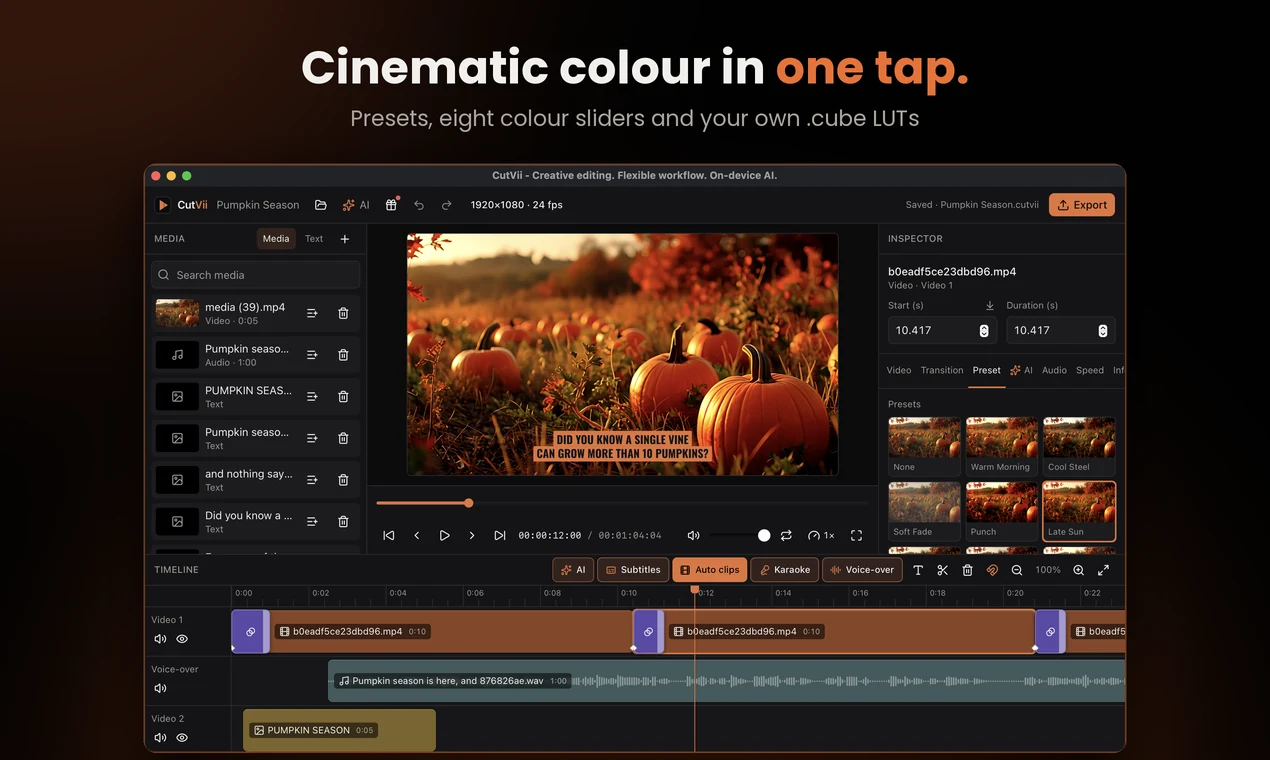
Adjust exposure, contrast, saturation, vibrance, temperature, tint, highlights and shadows, or start from a preset and set its intensity. Save your own as .cutviipreset, or import .cube LUTs.
- Looks gallery with thumbnails from your clip
- Preview and export use the same colour path
- Share presets, styles and export presets together as one style pack
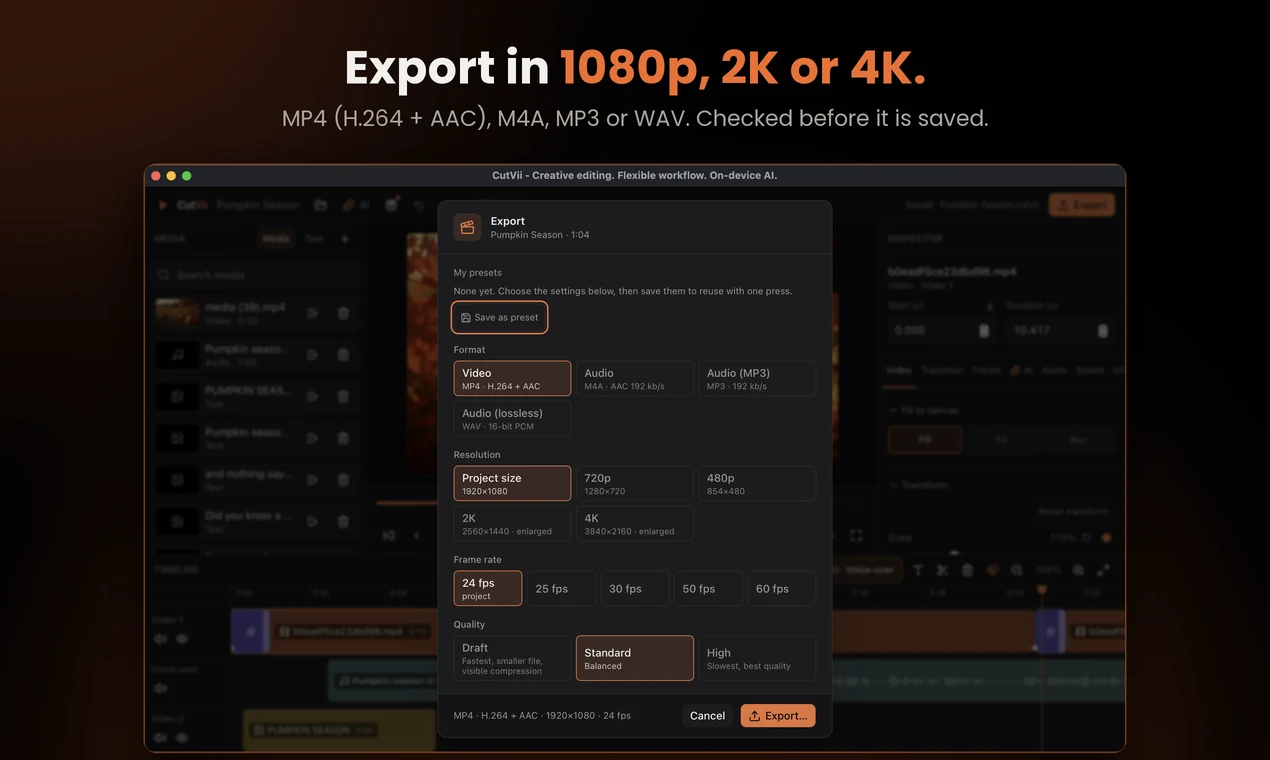
Export audio: MP3, WAV and M4A
Export just the sound for podcasts, music or voice-overs. Choose MP3 for small files, WAV for uncompressed audio, or M4A.
- MP3 needs an FFmpeg build with libmp3lame; CutVii tells you when it is missing
- Video export is H.264 + AAC MP4 up to 4K
- Save your own export presets
See it in action
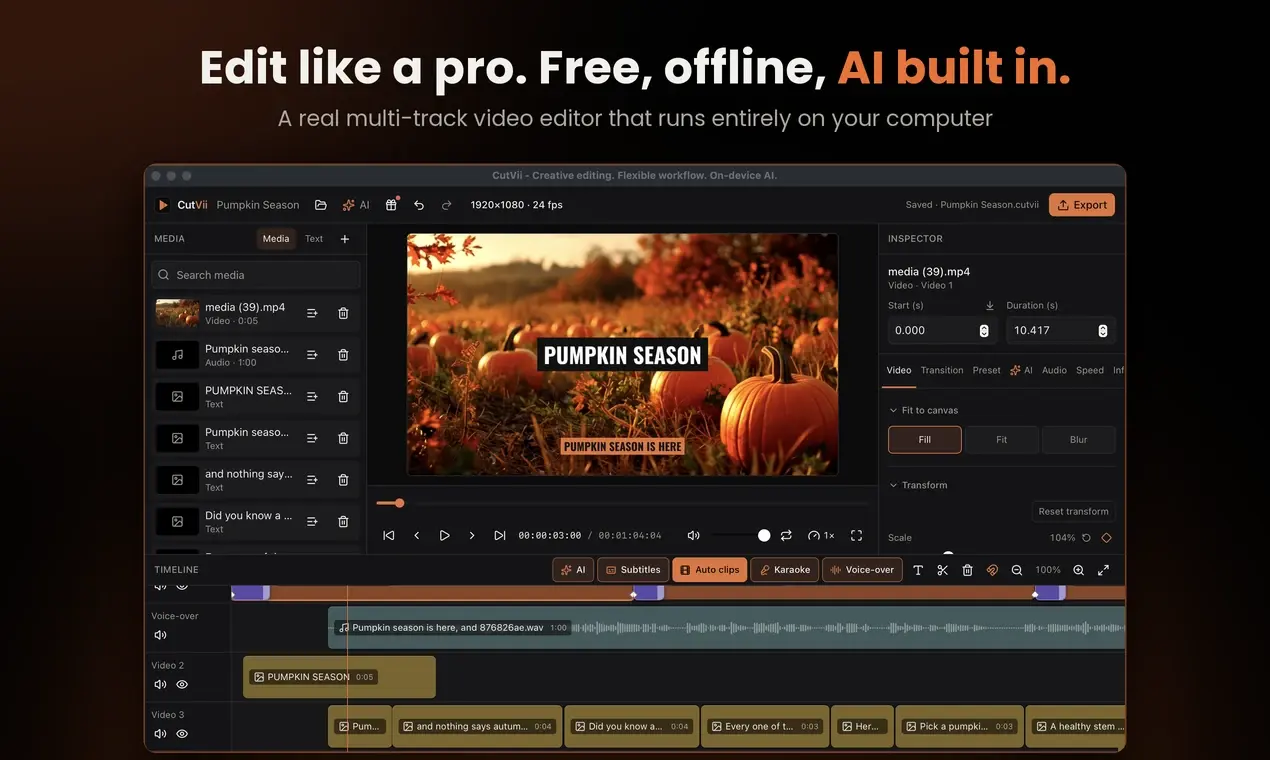
Real screenshots of CutVii 1.0.3 on macOS, taken while editing a one-minute pumpkin video. Select a picture to see it at full size.
 (opens in a new tab)
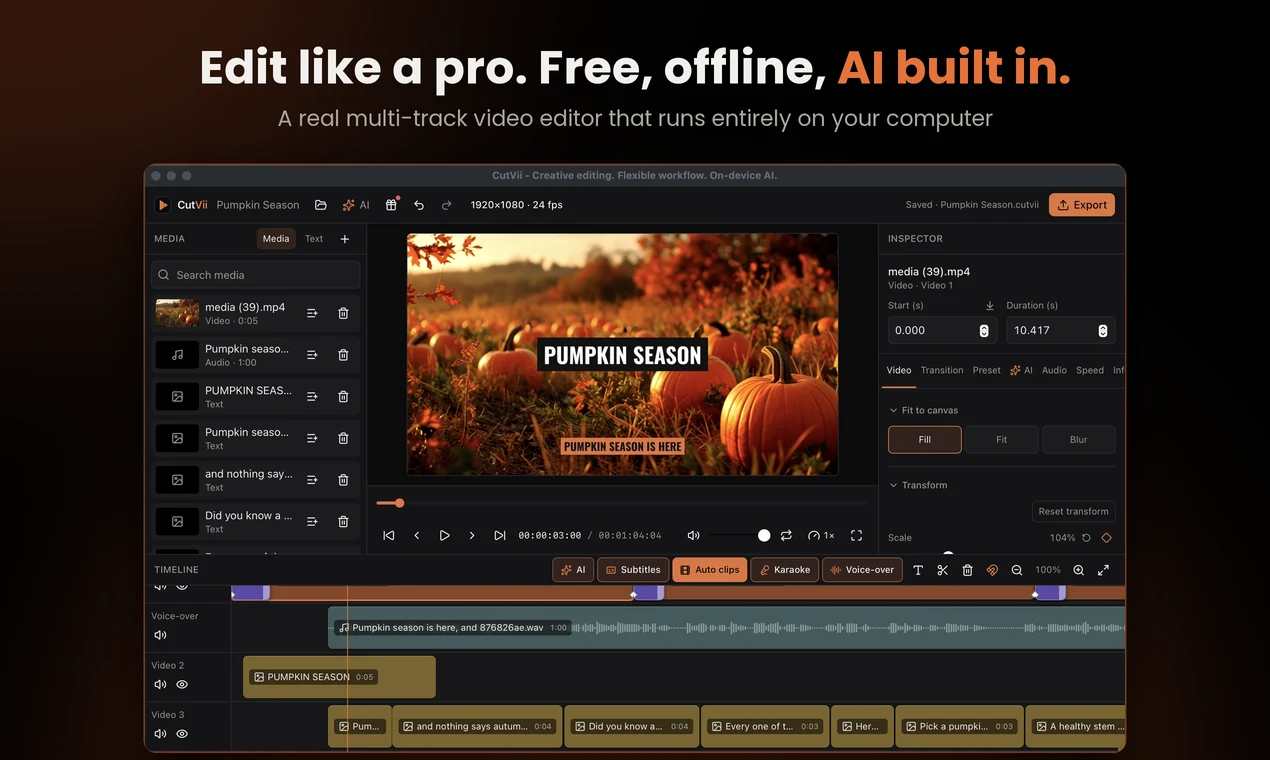
The editor: media, preview, inspector and a multi-track timeline. 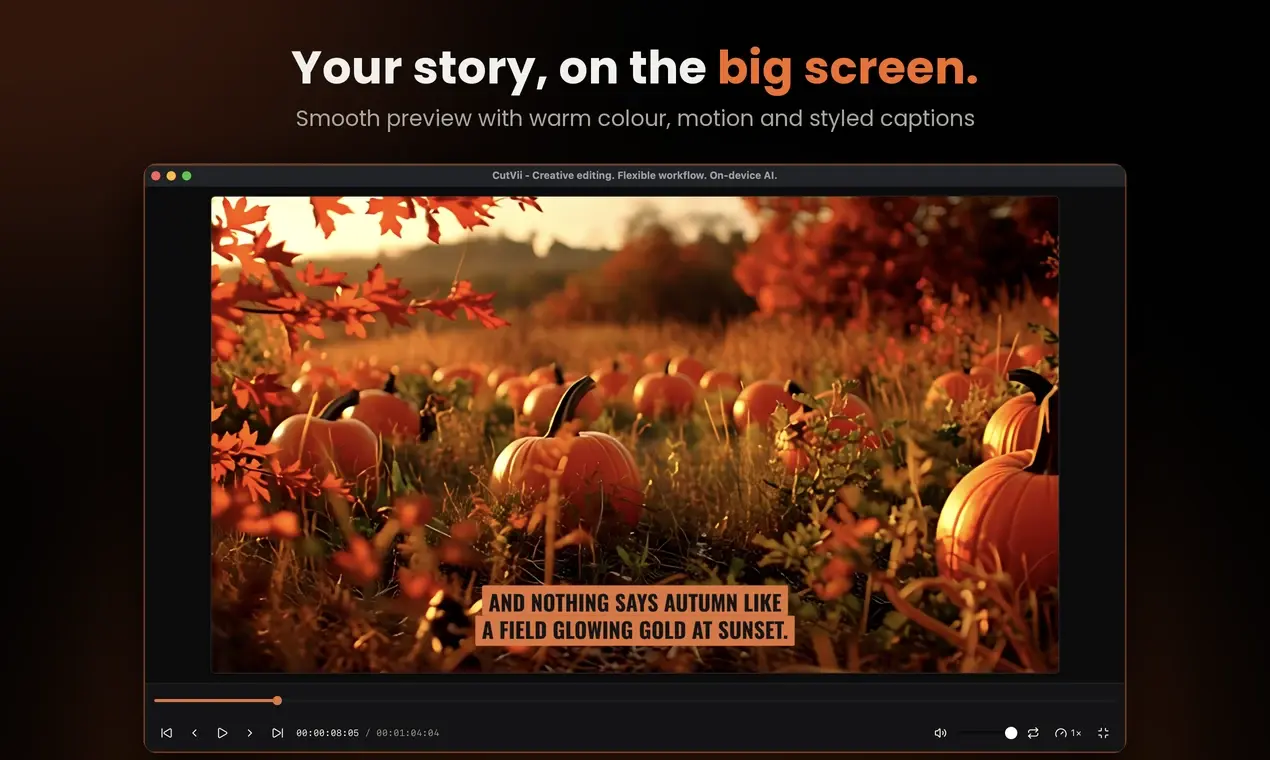 (opens in a new tab)
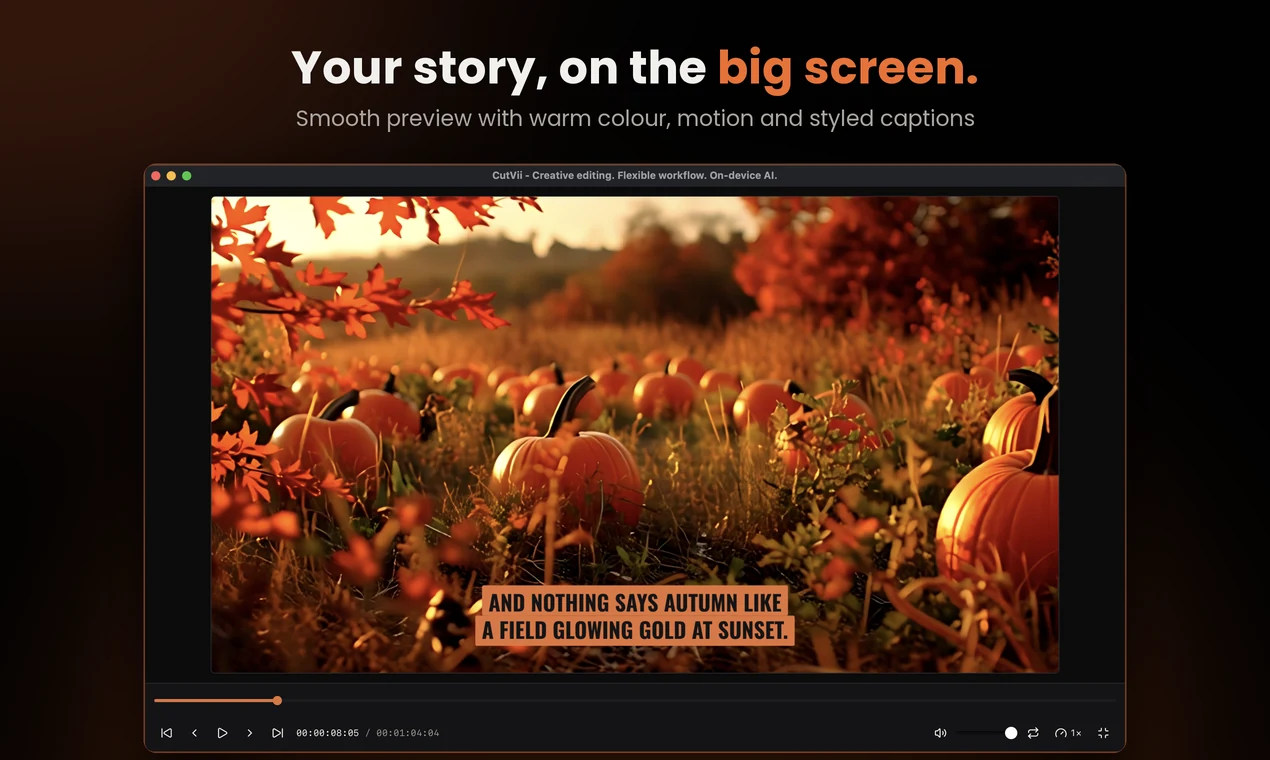
Full-screen preview with warm colour and styled captions. 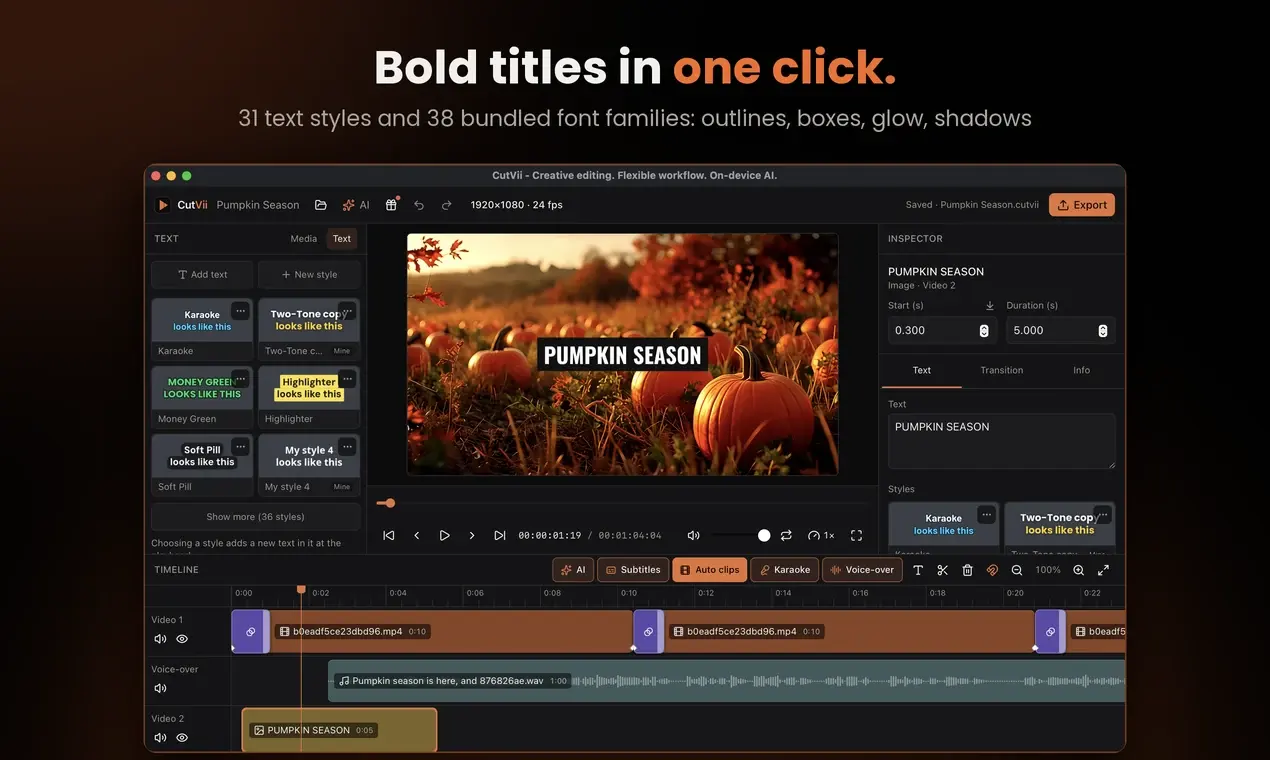 (opens in a new tab)
Text styles: pick a look for titles and captions in one click. 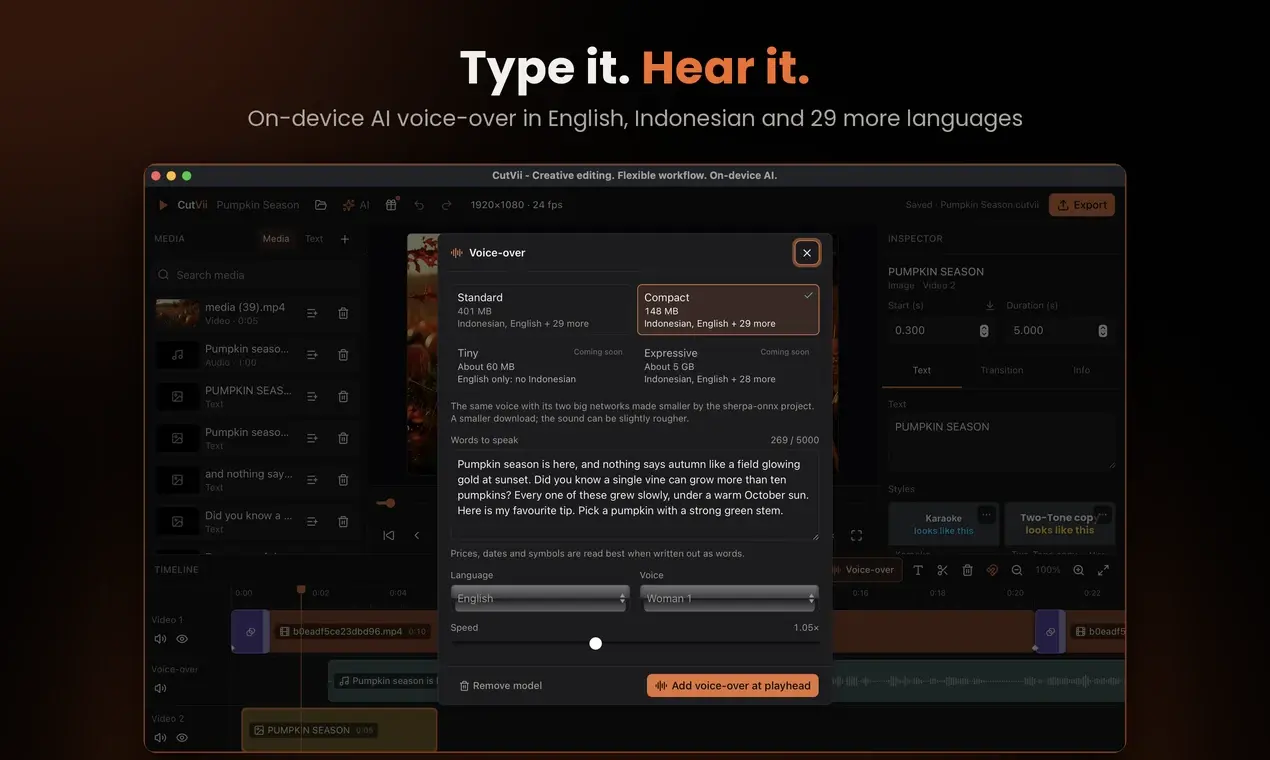 (opens in a new tab)
Voice-over: type the words, CutVii speaks them on your computer. 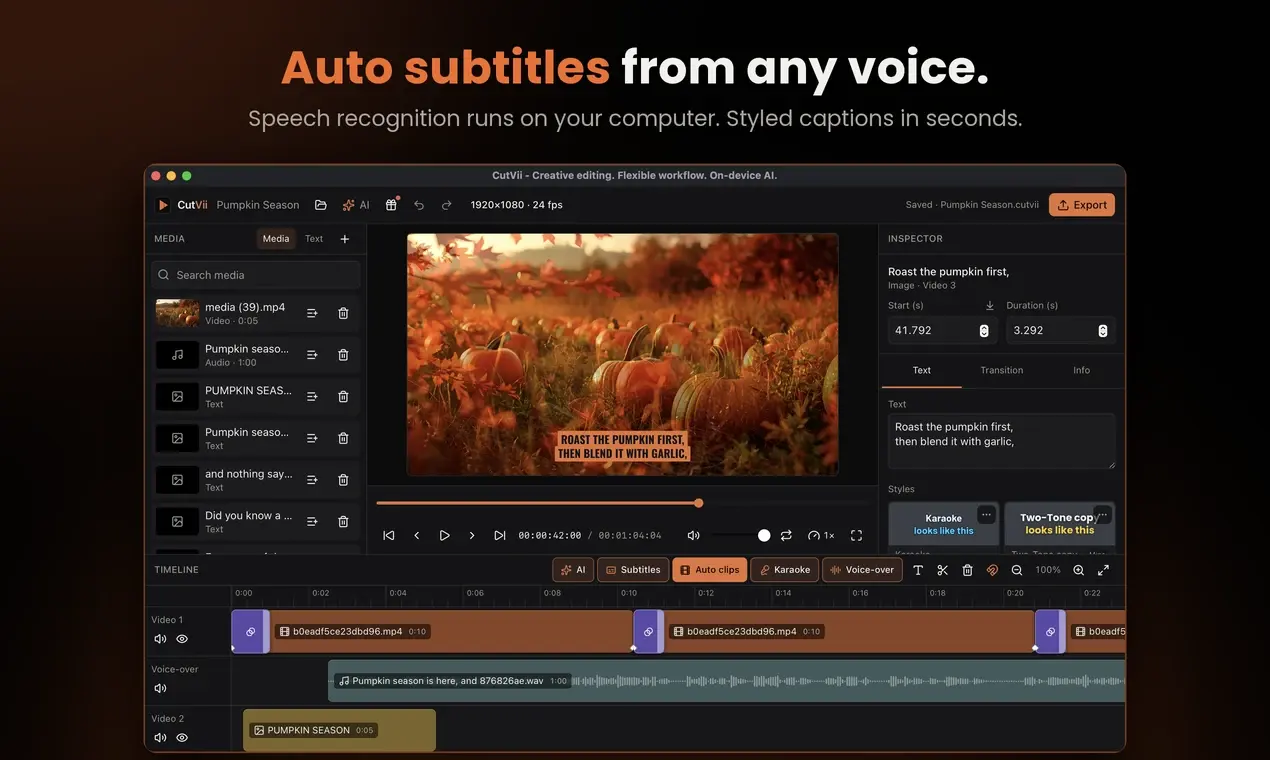 (opens in a new tab)
Auto subtitles, made from the voice and styled for you. 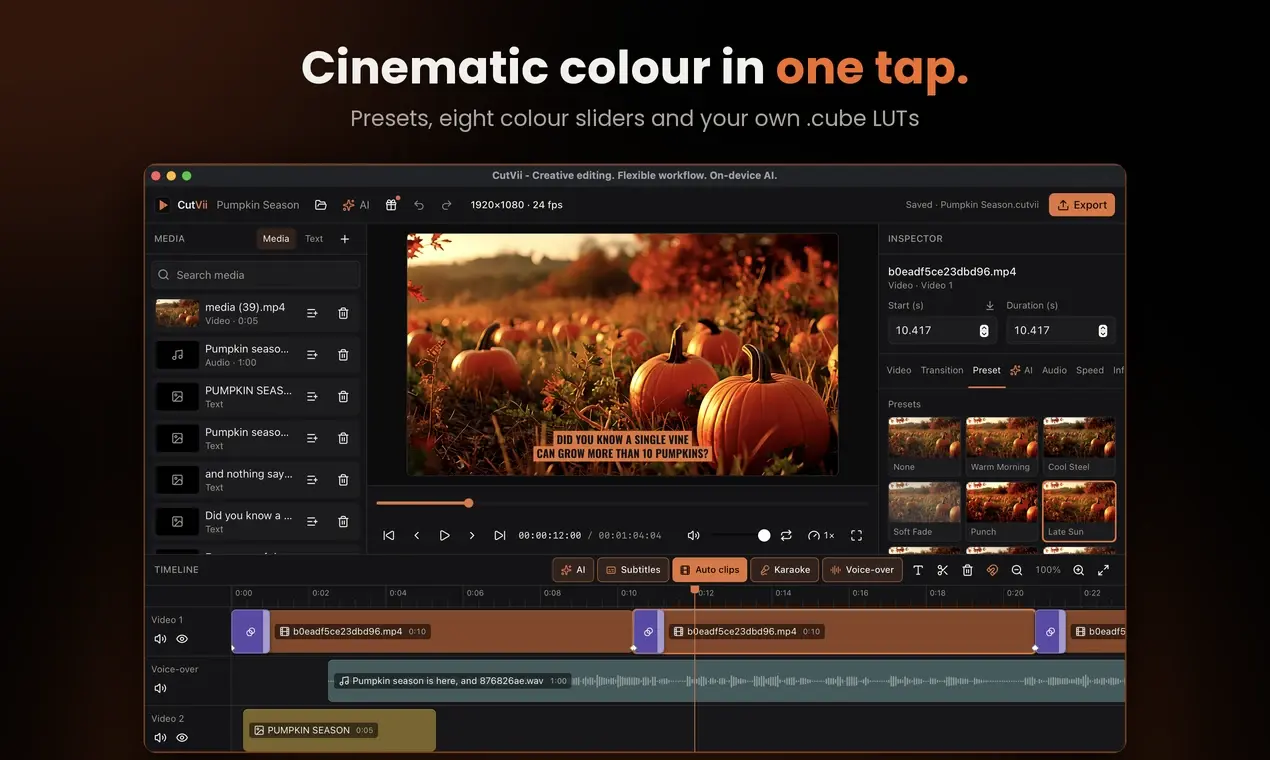 (opens in a new tab)
Colour presets, sliders and your own .cube LUTs. 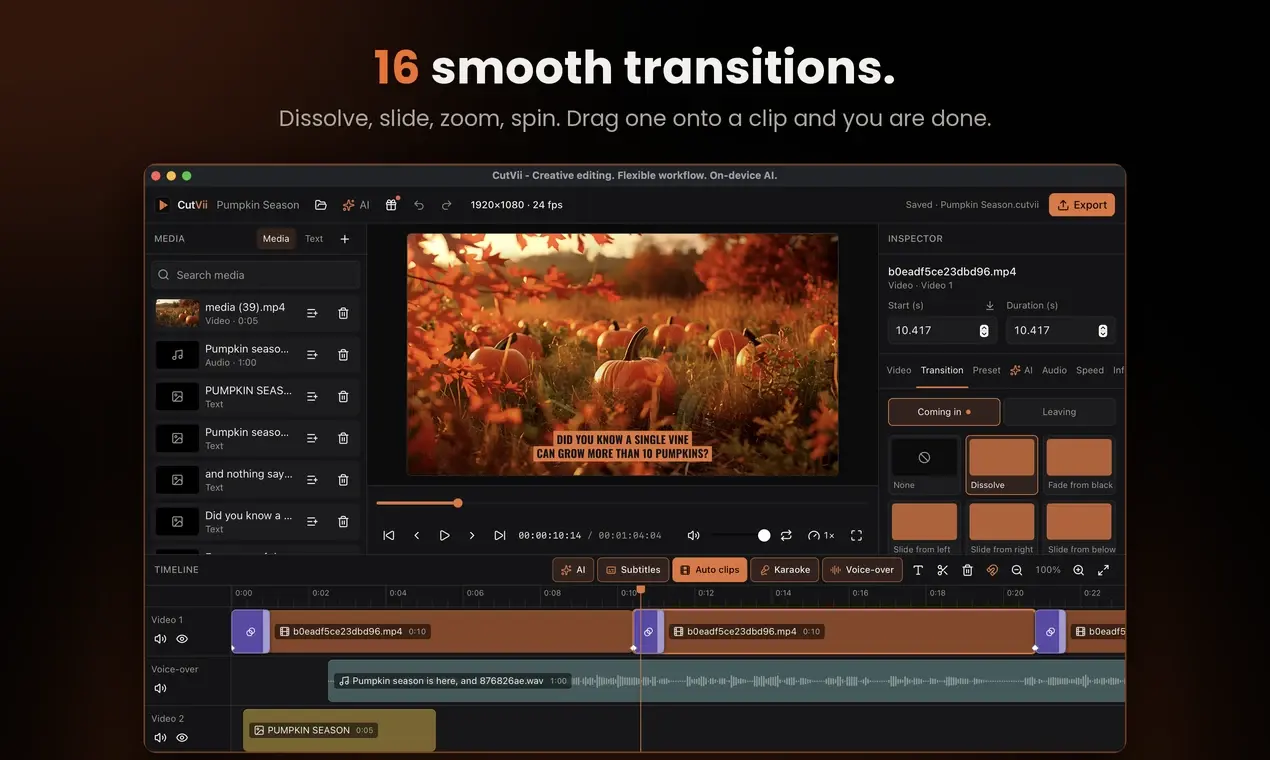 (opens in a new tab)
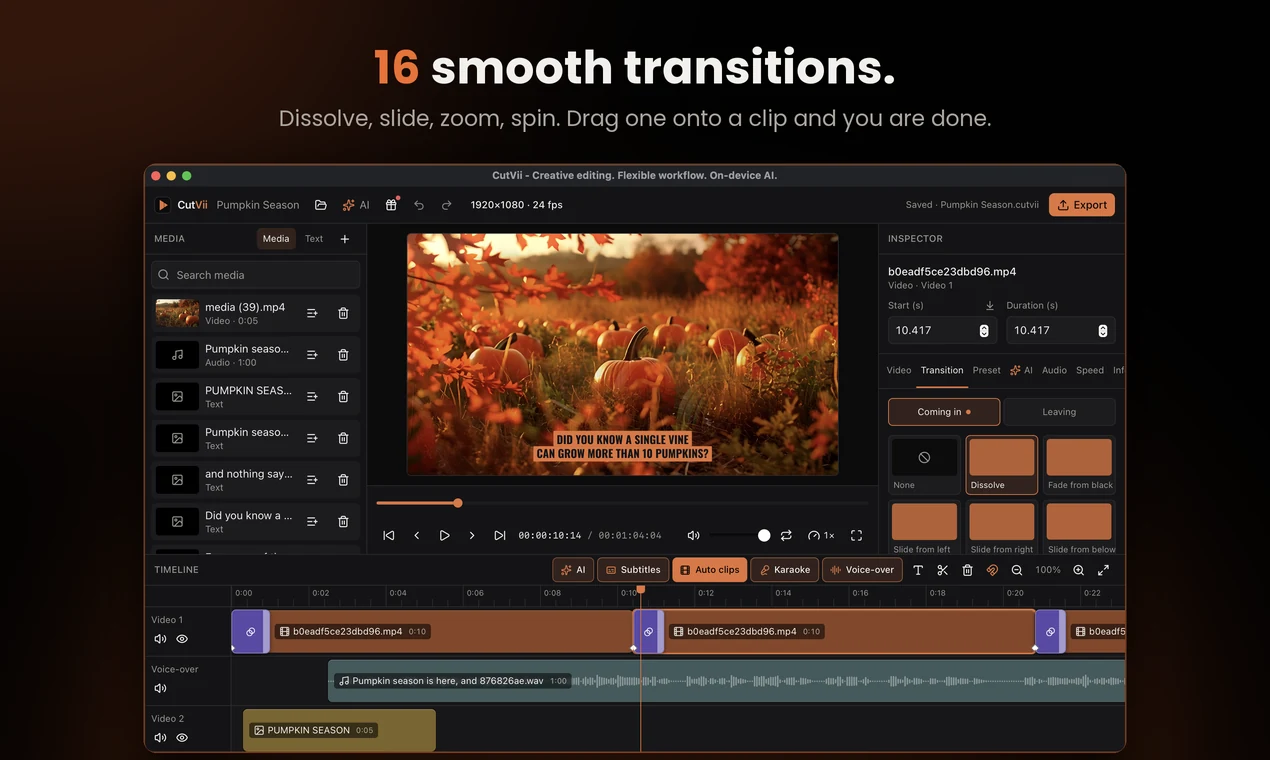
Transitions: dissolve, slide, zoom, spin and more. 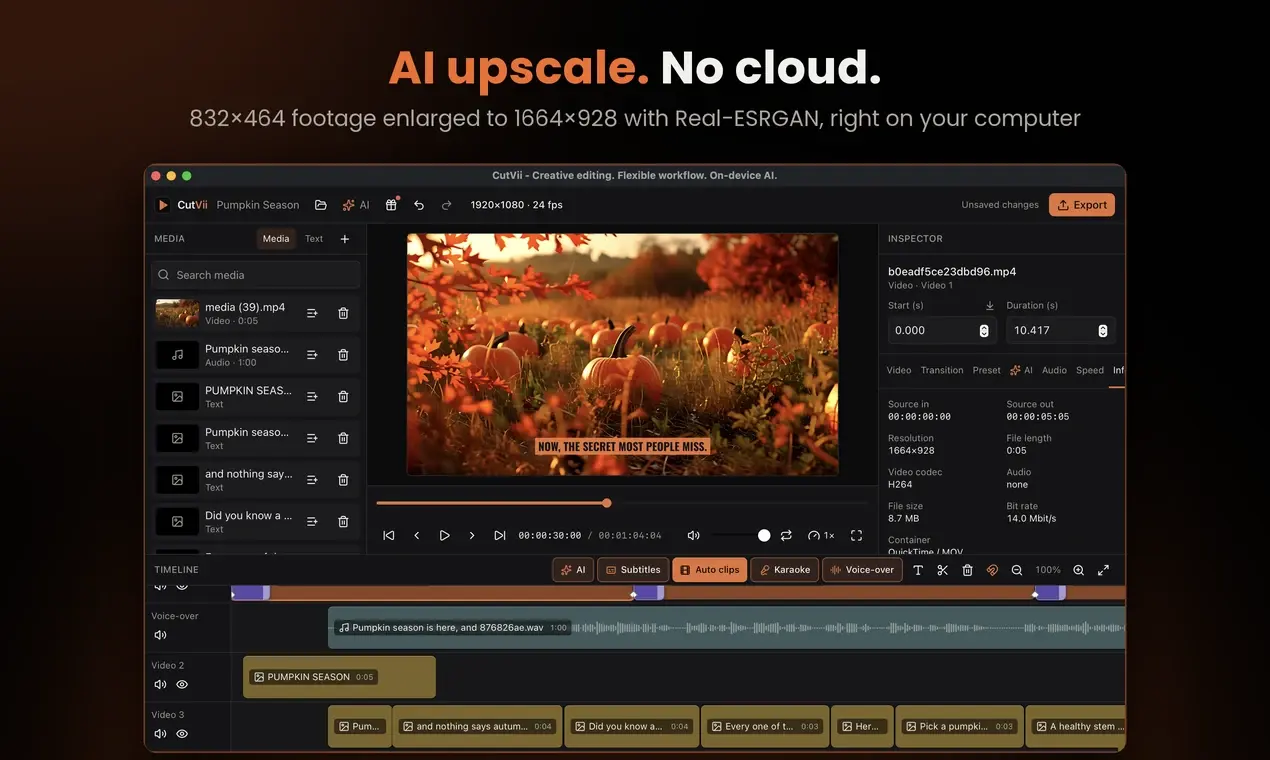 (opens in a new tab)
AI upscale: 832×464 footage enlarged to 1664×928, no cloud. 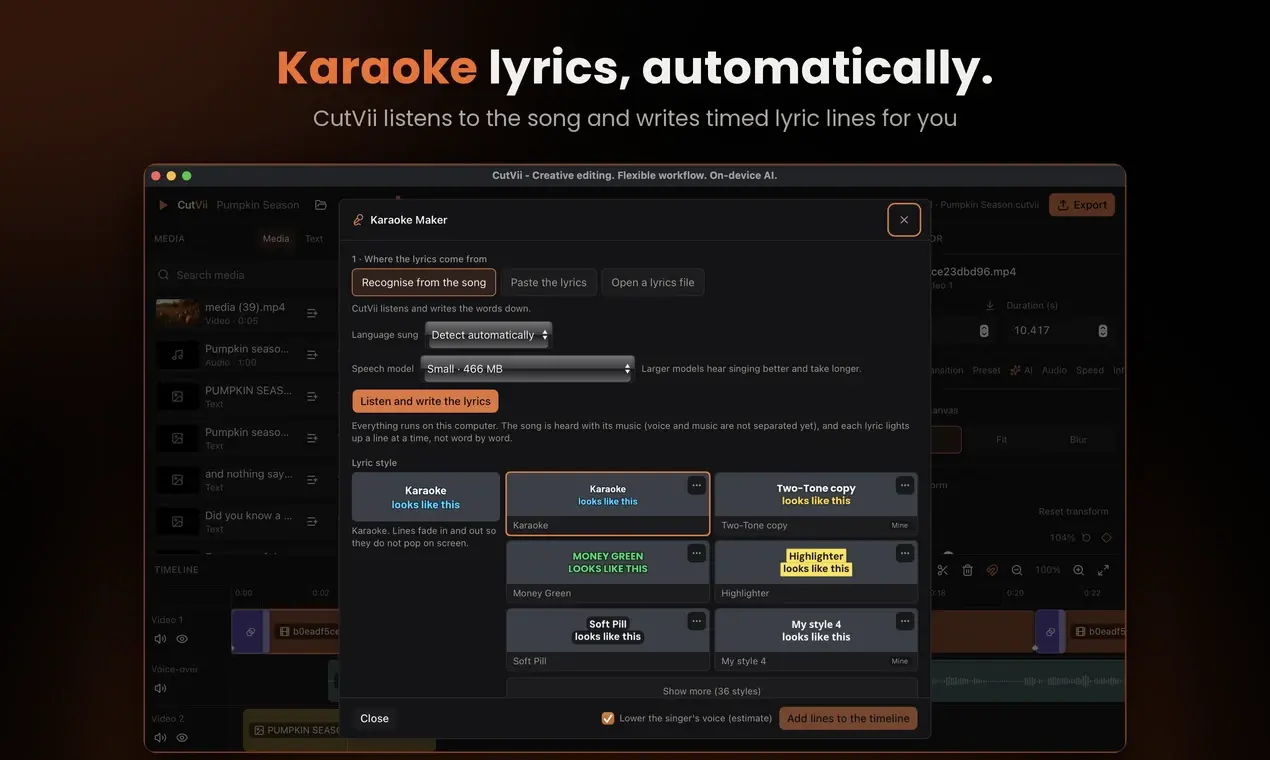 (opens in a new tab)
Karaoke Maker writes timed lyric lines from the song. 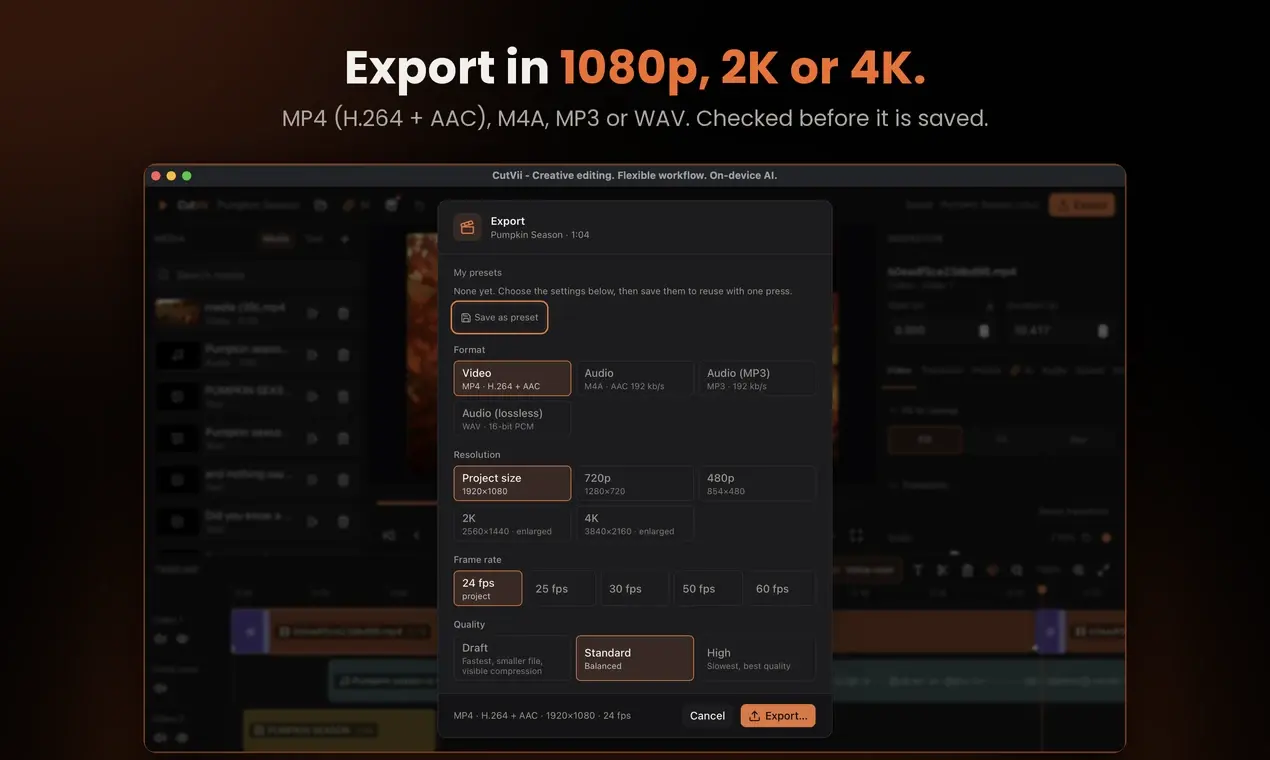 (opens in a new tab)
Export MP4 up to 4K, or sound only as M4A, MP3 or WAV. 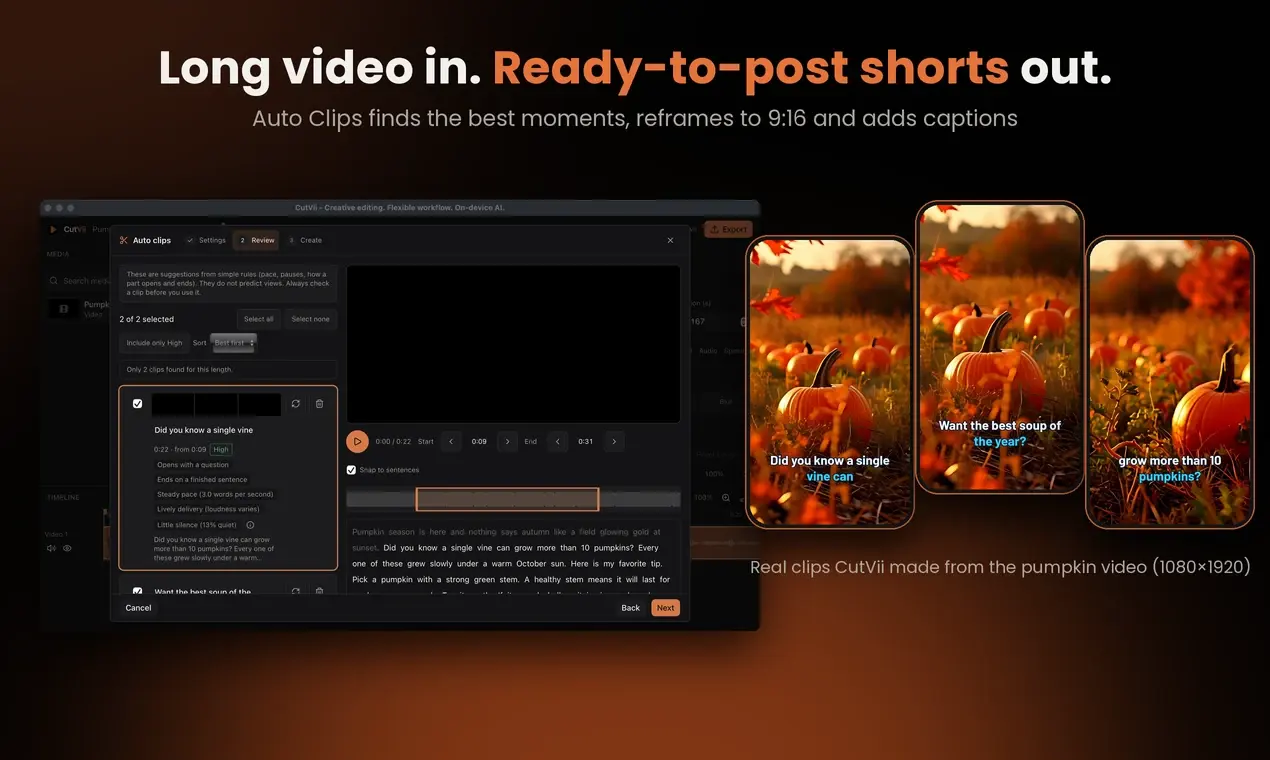 (opens in a new tab)
Auto Clips turned the video into vertical shorts with captions. 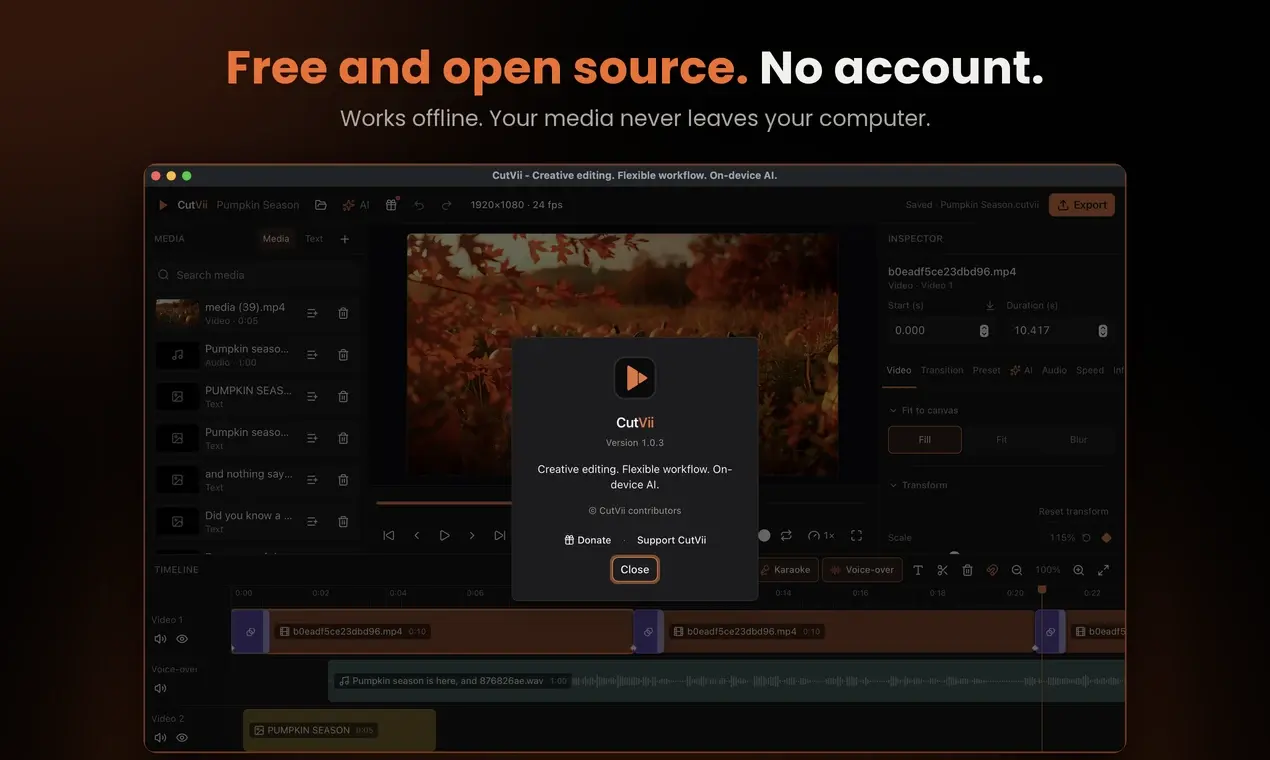 (opens in a new tab)
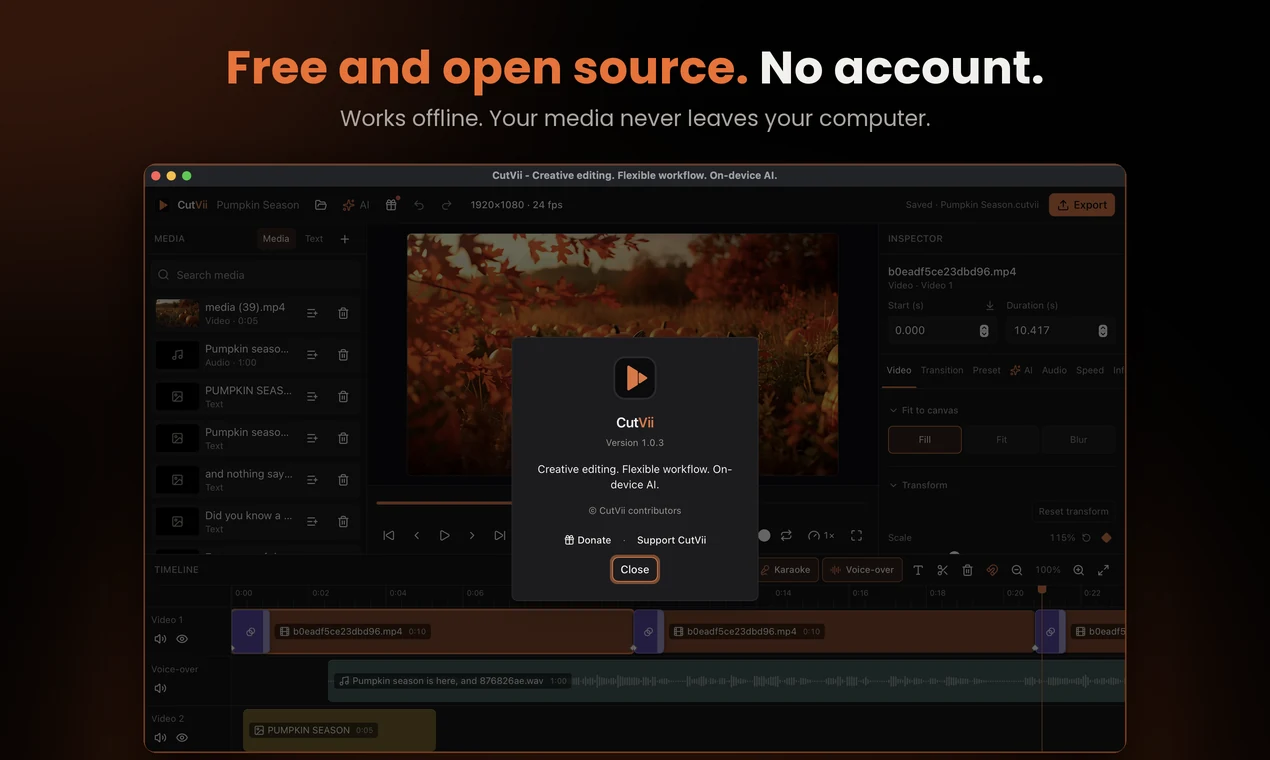
Free and open source. No account, works offline.
Everything in CutVii
Every feature of CutVii 1.0.0, grouped by area, plus what is coming next.
Editing
- ProjectsAvailable
Canvas templates (16:9, 9:16, 1:1, 4:5) or custom, save and open, undo and redo for every edit, missing media detection and relink.
- Media libraryAvailable
Import video, audio and pictures by dialog or drag and drop, with thumbnails, search and duplicate checks.
- Multi-track timelineAvailable
Move, trim, split, snap, cut / copy / paste, zoom, waveforms, track mute and hide.
- PreviewAvailable
Play, seek, loop, preview speed, full screen; drag text and crop right in the picture.
- Keyboard shortcutsAvailable
Space, S to split, Delete, arrows, Home, and Ctrl/Cmd Z, S, A, X, C, V.
Clip tools
- TransformAvailable
Scale, position, rotation, opacity and flips, with a reset per value.
- KeyframesAvailable
Animate scale, position, rotation and opacity; keyframes show as diamonds on the clip.
- TransitionsAvailable
Sixteen transitions in and out, from dissolve and fade through black to slides, zooms and spins. Drag one onto a clip.
- CropAvailable
Sliders or a box with handles in the preview; Free, 16:9, 9:16, 1:1, 4:5 and 4:3.
- Fit and backgroundAvailable
Fill, fit or fit over a blurred copy, with a black, colour or picture background.
- Stickers and logosAvailable
Pictures with transparent parts (PNG, WebP, GIF) stay see-through over your video, in the preview and the export.
- Move, resize and turn in the previewAvailable
Drag a clip in the preview to move it, drag a corner to resize and the round handle to turn it. Pinch and twist on a Mac trackpad. Each gesture is one undo step.
- SpeedAvailable
0.1× to 10×, keep pitch, reverse and freeze frame.
- Inspector comfortsAvailable
Fold-away sections, drag a label to change a number, copy and paste transform.
Sound
- Volume and fadesAvailable
Clip volume, mute, fade in and fade out.
- Detach audioAvailable
Turn a video's sound into its own clip on an audio track.
- Clean up soundAvailable
Reduce hiss and fan noise, remove rumble and hum. Applied in the export.
- DuckingAvailable
Music turns down while someone speaks and comes back afterwards. Applied in the export.
Colour
- Colour adjustAvailable
Exposure, contrast, saturation, vibrance, temperature, tint, highlights and shadows, the same in preview and export.
- Colour presetsAvailable
A gallery of looks with intensity; save, share and import your own as .cutviipreset.
- LUT importAvailable
Import .cube 3D LUTs and choose one per clip with an intensity.
Text and styles
- Text and titlesAvailable
Outline, shadow, glow, background boxes, highlight and fades; position with anchors and a safe margin.
- Text stylesAvailable
31 built-in styles plus your own; save, rename and share them as files.
- FontsAvailable
37 bundled open-licence font families, a searchable picker, and import your own font file.
- Style packsAvailable
Share your text styles, colour presets and export presets as one .cutvii-pack file.
Export and app
- Export to MP4Available
H.264 + AAC up to 4K, with progress, cancel and a check of the finished file.
- Audio export: MP3, WAV, M4AAvailable
Export only the sound as MP3, WAV or M4A, for podcasts, music or voice-overs.
- Export presetsAvailable
Save, rename and delete your own export settings.
- Optional update checkAvailable
At most once a day and only if you allow it; it never downloads anything by itself.
Platforms
- macOSAvailable
Download the installer from the Download page. Built and tested on Apple Silicon; there is no Intel Mac build.
- Windows and LinuxAvailable
Installers are published. They are built in CI and have not been run by hand yet.
- AndroidPlanned
A touch version of the editor.
"Available" means built and working in the current version of CutVii.
Marketplace · Like what we are building?
Marketplace
Optional add-ons made by us: style packs, colour presets, LUTs, text styles and more. The editor itself stays complete and free.
Visit the marketplaceLike what we are building?
CutVii is free. If it helps you, you can support it with a donation, a star on GitHub or a follow.
Ways to supportQuestions
Is CutVii free?
Yes. The editor is free and open source, and no feature is locked behind a payment or donation. The marketplace sells optional add-ons only.
Do I need an account?
No. CutVii has no accounts and no sign-in.
Does it work offline?
Yes. Editing and export run on your computer. The internet is only used if you choose to download an AI model or allow the optional update check.